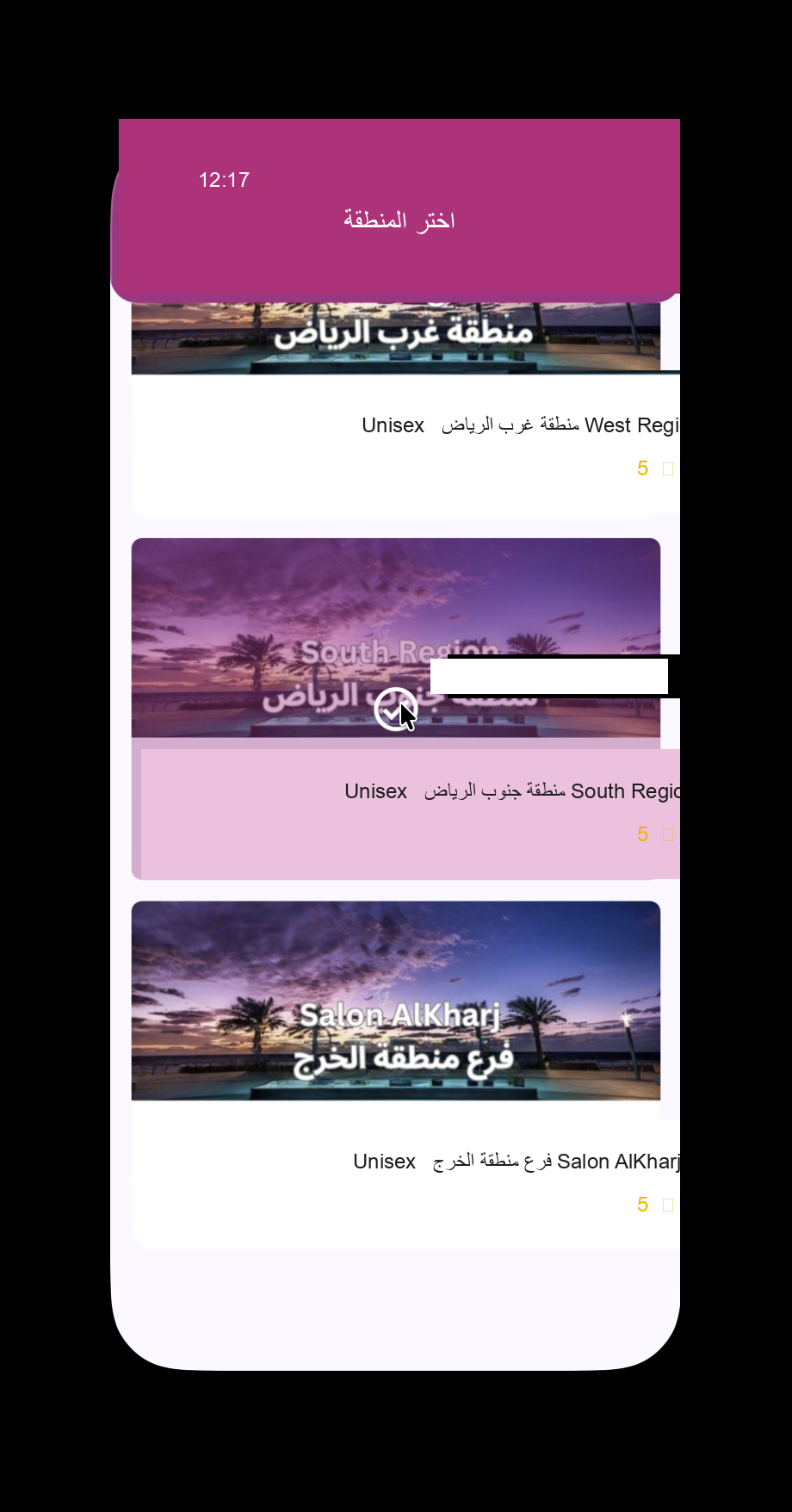
The Region Selection screen serves as the primary geographical entry point for customers using the booking application for both home services and on-premises salon branch visits. It allows users to select their operational region or physical salon branch—such as West Riyadh, South Riyadh, or the Al Kharj Branch—ensuring that all subsequent services, pricing, and available specialists correspond strictly to their location and chosen service model.
Main Features
- Multi-region selector cards featuring high-quality visual banner artwork for both home service zones and physical salon branches.
- Branch metadata indicators highlighting service model compatibility (such as Unisex service tagging).
- Direct contact options and customer support links displayed on each branch card.
- Customer satisfaction rating score displaying verified 5-star feedback ratings.
- Visual highlight state indicating the currently selected region or branch.
Business Benefits
By geofencing service delivery at the outset, this screen optimizes logistics for mobile beautician dispatching as well as in-salon appointment management, preventing out-of-coverage service requests and ensuring accurate branch-level inventory, pricing, and staff allocation.
User Journey
The user arrives at this screen upon launching the app for the first time or when requesting to change their current location setting. Selecting a region or branch sets the operational context and forwards the user to the main service category dashboard.
تُعد شاشة اختيار المنطقة المدخل الجغرافي الرئيسي للعملاء في تطبيق إدارة وحجز الخدمات التجميلية المنزلية والزيارات المباشرة داخل فروع الصالونات (On-Premises). تتيح للمستخدمين اختيار الفرع الفعلي أو المنطقة التشغيلية (مثل غرب الرياض، جنوب الرياض، أو فرع الخرج)، مما يضمن ملاءمة جميع الخدمات والأسعار والكوادر المتاحة لموقعهم المحدد ونوع الخدمة المطلوب.
المميزات الرئيسية
- بطاقات اختيار المناطق والفروع الفعالية المدعومة بصور تعبيرية لكل نطاق تشغيلي وصالون.
- علامات تصنيف الخدمات وإتاحتها (مثل تصنيف فئات الخدمات للجنسين).
- عرض خيارات التواصل المباشر مع الفروع على كل بطاقة.
- مؤشر تقييم رضا العملاء الذي يوضح متوسط التقييم الموثق (٥ نجوم).
- تظليل بصري واضح يحدد المنطقة أو الفرع المحدد حالياً.
الفوائد الاستثمارية والتشغيلية
تساعد التغطية الجغرافية المحددة مسبقاً في تحسين لوجستيات توجيه أخصائيي التجميل للمنازل وتنظيم حجوزات الفروع الفعالية، وتمنع طلبات الخدمة خارج نطاق التغطية، وتضمن دقة قائمة أسعار الفروع وتوافر الكوادر.
رحلة المستخدم
يصل المستخدم إلى هذه الشاشة فور فتح التطبيق لأول مرة أو عند تغيير خيارات الموقع. اختيار المنطقة أو الفرع يحدد النطاق التشغيلي وينقل المستخدم مباشرة إلى لوحة الخدمات الرئيسية.
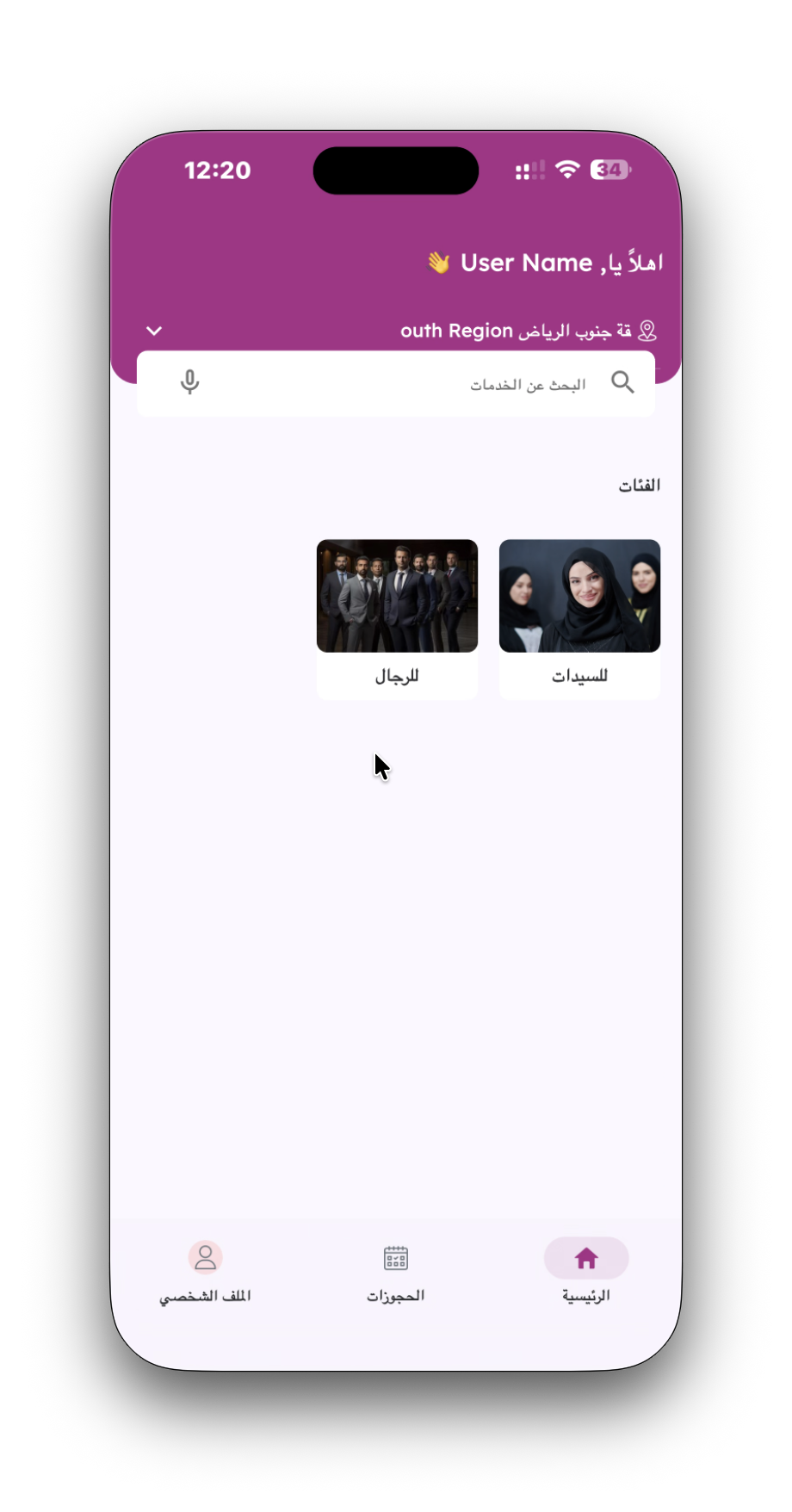
The Main Service Dashboard functions as the central home hub of the mobile application. It greets the customer personally, displays their active region, provides search capabilities across all offered services, and categorizes offerings into primary demographic sections (For Men and For Women).
Main Features
- Personalized header greeting displaying the logged-in user name alongside an active region selector pill.
- Integrated search bar with placeholder prompt supporting both text search and voice command search icons.
- Primary demographic category cards featuring visual photography for "For Men" and "For Women".
- Persistent bottom navigation tab bar providing one-tap access to Home, Bookings, and Profile sections.
Business Benefits
Accelerates customer onboarding and service discovery by instantly segmenting the service menu according to customer demographics, reducing search friction and boosting overall conversion rates.
User Journey
The user enters this dashboard after confirming their operating region. Tapping on a primary demographic card (e.g., "For Women") navigates directly into the sub-categories and detailed service catalog.
تمثل لوحة التحكم الرئيسية الواجهة الأساسية للتطبيق، حيث ترحب بالمستخدم بشخصية موجهة، وتعرض المنطقة الحالية، وتوفر شريط بحث ذكي يتضمن البحث الصوتي والخصائص، بالإضافة إلى تقسيم الخدمات حسب فئات الاستهداف (للرجال وللسيدات).
المميزات الرئيسية
- ترحيب مخصص باسم المستخدم مع إمكانية تعديل المنطقة الحالية من الأعلى.
- شريط بحث مدمج يدعم البحث النصي والأوامر الصوتية للوصول السريع للخدمات.
- بطاقات تصنيف رئيسية مصورة تصنف الخدمات إلى فئتي (للرجال) و(للسيدات).
- شريط ملاحة سفلي ثابت يدعم التنقل بين الرئيسية، الحجوزات، والملف الشخصي.
الفوائد الاستثمارية والتشغيلية
تسهم التوجيهات الديموغرافية الفورية في تسريع وصول العميل للخدمة المناسبة، مما يقلل من معدلات الارتداد ويضاعف نسبة إكمال طلبات الحجز.
رحلة المستخدم
يدخل المستخدم هذه الشاشة بعد اختيار المنطقة. النقر على فئة رئيسية (مثل: للسيدات) ينقل العميل إلى شاشة الفئات الفرعية وقائمة الخدمات التفصيلية.
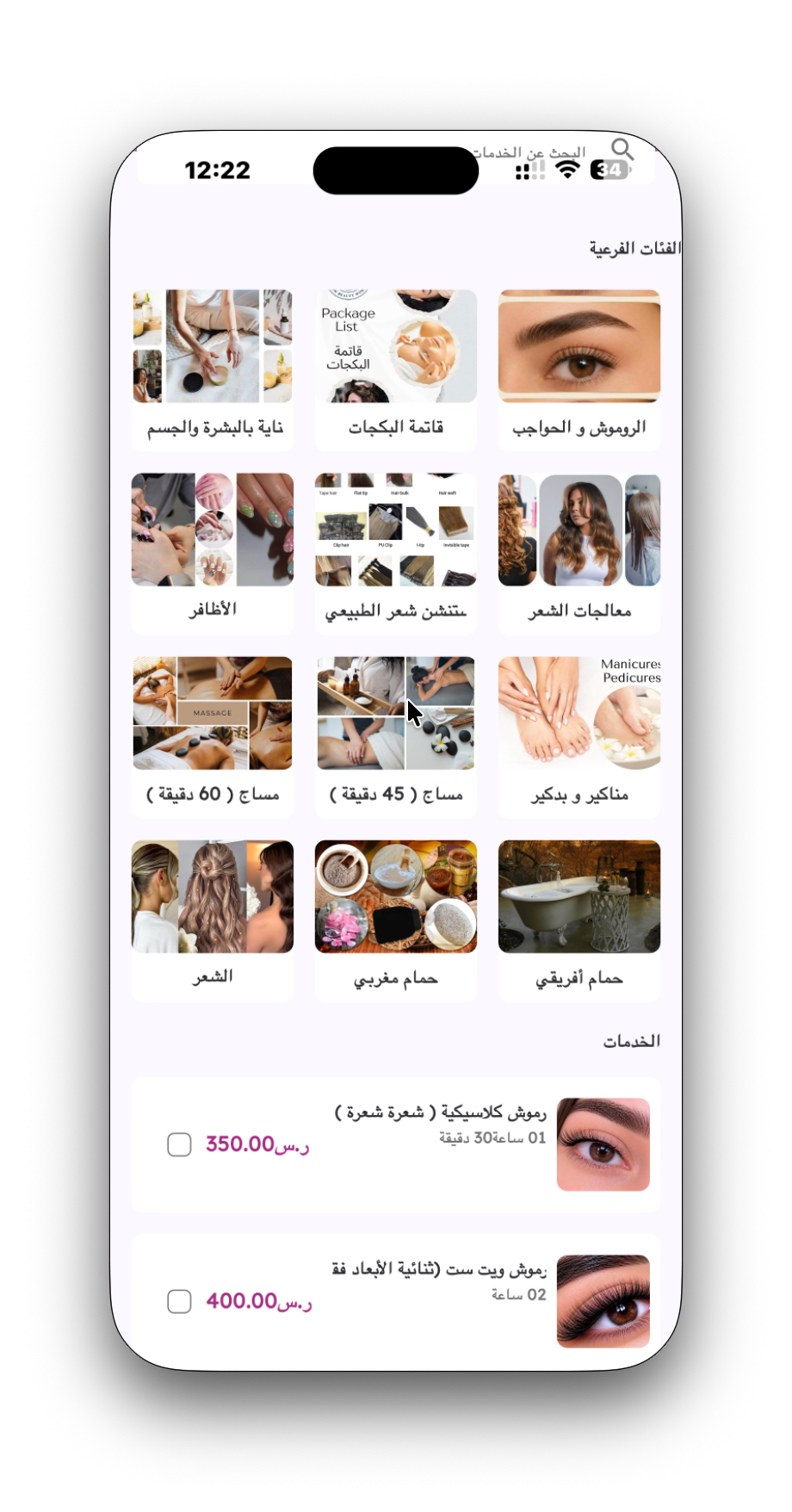
This screen presents a granular visual catalog of available home and salon treatments. It categorizes services into specialized sub-categories—such as Eyelashes & Eyebrows, Nail Care, Massages, Hair Treatments, and Moroccan/African Baths—and lists individual service offerings complete with pricing in the local country currency and estimated service durations.
Main Features
- Visual sub-category grid featuring image cards for rapid browsing across specialized beauty domains.
- Detailed service listing cards containing service names, duration specifications (e.g., 01 hour 30 mins), transparent pricing, and visual thumbnails.
- Multi-select checkable list items enabling users to select multiple treatments directly from the catalog.
- Header search bar retained at the top for real-time service filtering.
Business Benefits
Maximizes Average Order Value (AOV) through cross-category service discovery and bundling, while up-front price and duration transparency builds client trust and sets clear operational expectations.
User Journey
The user reaches this catalog after choosing a primary service category from the main dashboard. Selecting one or more service checkboxes populates the booking cart and activates the persistent bottom action bar.
تعرض هذه الشاشة دليلاً شاملاً ومصوراً لجميع خدمات التجميل والعناية بالبشرة والجسم والشعر والمساج والحمامات التجميلية. تتيح للعميل استكشاف الفئات الفرعية واستعراض التفاصيل الدقيقة للخدمات مع مدتها الزمنية وسعرها بالعملة المحلية للدولة.
المميزات الرئيسية
- شبكة فئات فرعية مصورة تتيح التنقل بين تخصصات التجميل (الرموش، الأظافر، المساج، الشعر، الحمام المغربي والأفريقي).
- قائمة خدمات تفصيلية تتضمن اسم الخدمة، المدة المستغرقة (مثل: ساعة و٣٠ دقيقة)، السعر المباشر بالعملة المحلية للدولة وصورة توضيحية.
- مربعات اختيار متعددة تمكن العميل من تحديد مجموعة خدمات في طلب واحد.
- شريط بحث علوي مستمر لتصفية الخدمات حسب الاسم.
الفوائد الاستثمارية والتشغيلية
ترفع هذه الشاشة متوسط قيمة الفاتورة عبر تسهيل إضافة خدمات متعددة وتكاملية، وتمنح العميل شفافية كاملة بالوقت والتكلفة.
رحلة المستخدم
تظهر الشاشة بعد اختيار الفئة الرئيسية. اختيار إحدى الخدمات عبر مربع التحديد يفعل شريط الحجز السفلي التفاعلي.
The Service Selection screen allows customers to customize their service choices, adjust quantities for specific treatments (such as Cat Eye Nails, BIAB Extensions, or Gel Nail Removal), and review live price calculations before advancing to checkout.
Main Features
- Interactive service item list with checkbox toggles and quantity increment/decrement controls (- / + buttons).
- Detailed service item breakdowns specifying service name, required execution time, and individual unit cost in the local country currency.
- Persistent sticky bottom cart bar displaying selected service title, real-time total price calculation, and primary CTA button ("Book Now").
Business Benefits
Reduces booking drop-off by keeping the checkout trigger and live order summary continuously visible, while quantity controls encourage add-on purchase decisions.
User Journey
The user lands on this screen while reviewing specific treatment options. After selecting their desired services and quantities, tapping the "Book Now" button launches the 4-step booking checkout wizard.
تمكن هذه الشاشة المستخدم من تكييف وتعديل خيارات الخدمات بدقة، واختيار عدد الخدمات المطلوبة (مثل رسم الأظافر، خدمات البياب، أو إزالة أظافر الجل)، ومتابعة الحساب الإجمالي للحجز في الوقت الفعلي قبل بدء خطوات الدفع.
المميزات الرئيسية
- قائمة خدمات تفاعلية مزودة بأزرار زيادة ونقصان الأعداد (- / +) ومربعات التحديد.
- توضيح مدة كل خدمة والسعر الفردي لكل خيار بالعملة المحلية للدولة.
- شريط حجز سفلي مثبت يظهر اسم الخدمة المحددة، الحساب الإجمالي المباشر، وزر الإجراء الرئيسي (احجز الآن).
الفوائد الاستثمارية والتشغيلية
يحافظ الشريط السفلي المثبت على استمرارية رؤية زر الشراء، مما يقلل من نسب التخلي عن السلة ويشجع العميل على إكمال عملية الحجز فوراً.
رحلة المستخدم
يتفاعل العميل مع القائمة لاختيار الخدمات المحددة وتعديل أعدادها، ثم يضغط على زر "احجز الآن" لبدء الخطوة الأولى من خطوات الحجز الأربع.
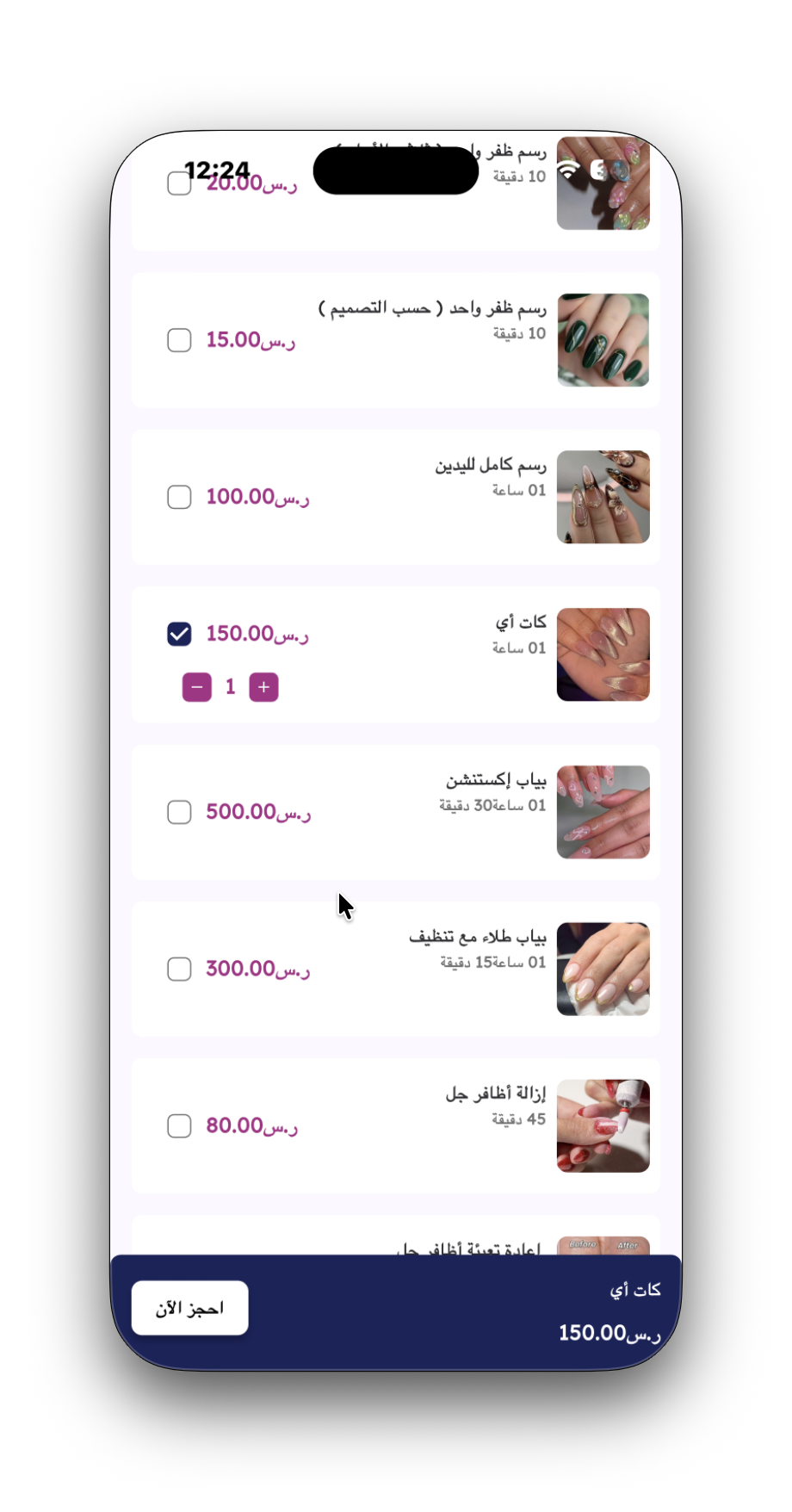
Step 1 of the booking checkout wizard collects essential geographical information for home service delivery. Customers select their neighborhood or district from a curated dropdown list and input their exact street address or location details.
Main Features
- Visual 4-step progress stepper tracking Location, Staff, Date & Time, and Payment stages.
- District/Neighborhood dropdown selector ("Select District") for localized city zone filtering.
- Detailed address text input field integrated with a location pin icon for precision dispatch.
- Bottom sticky action bar displaying order item summary ("Cat Eye - 150.00") and a primary "Next" button.
Business Benefits
Ensures accurate location capture for mobile beautician dispatching, minimizing travel delays and improving route efficiency for field specialists.
User Journey
The user enters Step 1 immediately upon clicking "Book Now" from the service cart. Completing the district and address fields enables the "Next" button, moving the user to Step 2: Staff Selection.
تمثل هذه الشاشة الخطوة الأولى من معالج الحجز المكون من أربع خطوات، حيث يحدد العميل تفاصيل الموقع الجغرافي لتقديم الخدمة المنزلية عبر اختيار الحي وكتابة تفاصيل العنوان الدقيق.
المميزات الرئيسية
- مؤشر تقدم مرئي بأربع مراحل (الموقع، طاقم العمل، تاريخ ووقت، الدفع).
- قائمة منسدلة لاختيار الحي لفرز النطاقات الجغرافية.
- حقل إدخال نصي مخصص للعنوان متصل بأيقونة تحديد الموقع على الخريطة.
- شريط سفلي مثبت يعرض تلخيص الخدمة المحددة والسعر مع زر المتابعة (التالي).
الفوائد الاستثمارية والتشغيلية
تضمن جمع بيانات موقع دقيقة لضمان وصول أخصائية التجميل في الوقت المحدد وبكفاءة عالية، مما يرفع مستوى رضا العملاء.
رحلة المستخدم
يدخل المستخدم هذه الشاشة فور الضغط على زر "احجز الآن". بعد اختيار الحي والعنوان، يضغط على "التالي" للانتقال لخطوة اختيار الخبير.
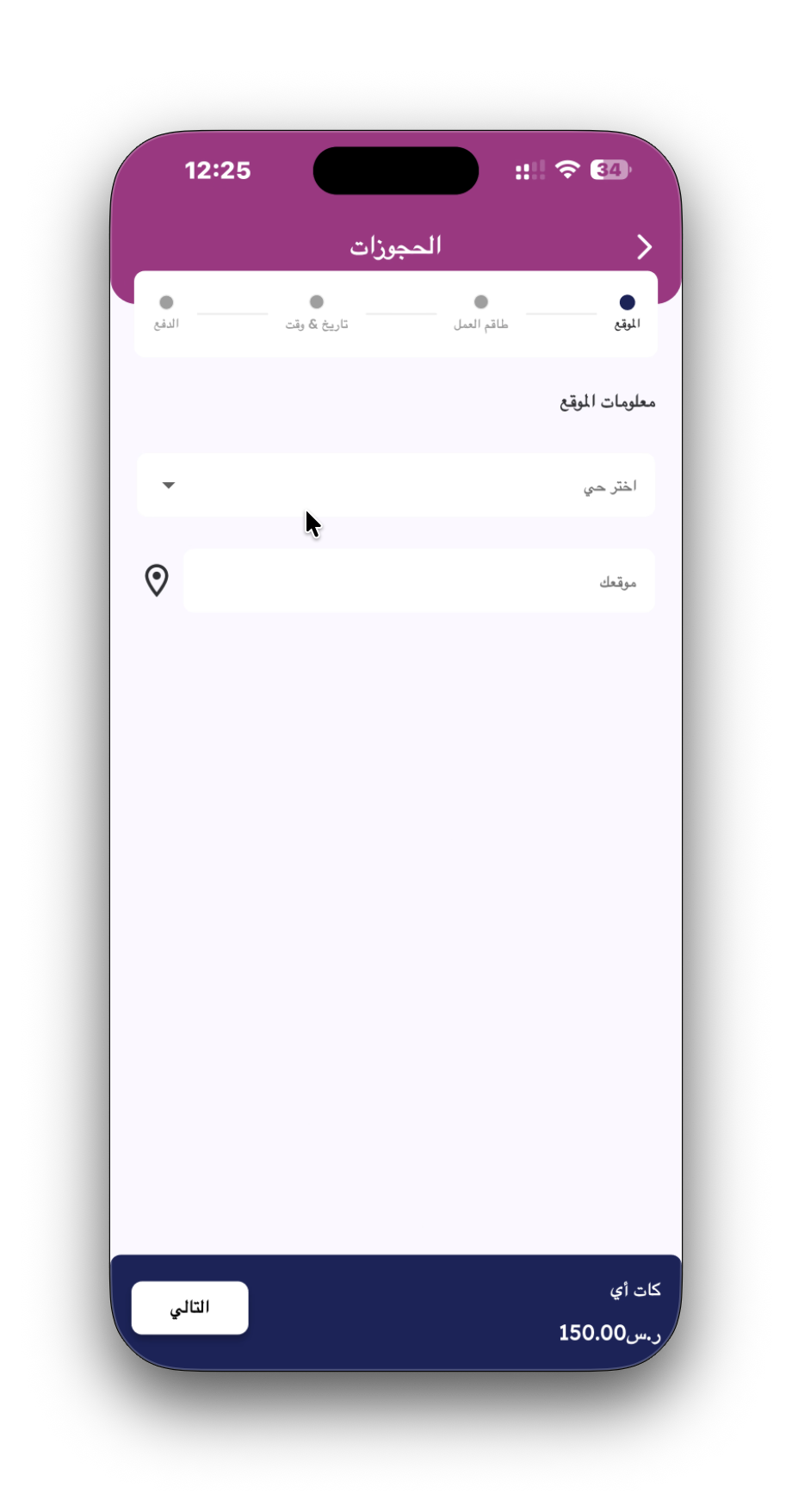
Step 2 of checkout enables customers to select their preferred beauty or wellness specialist. Profile cards showcase specialist photographs, full names, gender indicators, and verified customer rating scores to assist in decision-making.
Main Features
- Specialist profile cards featuring staff photos, full names (e.g., ROBELYN UDARBE ALAGUIA), and gender tags.
- Verified 5-star customer rating badge reinforcing service credibility and quality standards.
- Checkout stepper updating Step 1 (Location) with a completed checkmark badge.
- Persistent bottom order summary bar updating live service details and total cost.
Business Benefits
Fosters client loyalty and trust by offering personalized specialist selection, while public star ratings motivate service staff to maintain high service quality.
User Journey
Reached after confirming address details in Step 1. Selecting a specialist card highlights the choice and enables the "Next" button to proceed to Step 3: Date & Time Selection.
تمنح الخطوة الثانية العميل الحرية الكاملة لاختيار أخصائية التجميل المفضلة، حيث تظهر بطاقات الخبراء مع الصور الشخصية والاسم والتصنيف وتقييمات العملاء السابقة.
المميزات الرئيسية
- بطاقة تعريفية بالخبير تتضمن الصورة، الاسم الكامل، وتصنيف الجنس.
- شارة تقييم موثقة (٥.٠ نجوم) لتعزيز موثوقية وجودة الخدمة المقدمة.
- مؤشر الخطوات يظهر إكمال خطوة الموقع بنجاح بعلامة صح.
- تحديث شريط الحجز السفلي بتفاصيل الخدمة المحددة (مساج القدمين - ١٢٠).
الفوائد الاستثمارية والتشغيلية
تساهم في بناء علاقة مستدامة بين العملاء وطاقم العمل، وتحفز الكادر الفني على تقديم أفضل مستوى خدمة للحصول على تقييمات مرتفعة.
رحلة المستخدم
تظهر الشاشة بعد إدخال تفاصيل الموقع. بعد تحديد الخبيرة المناسبة، يضغط العميل على زر "التالي" للانتقال لجدولة الموعد.
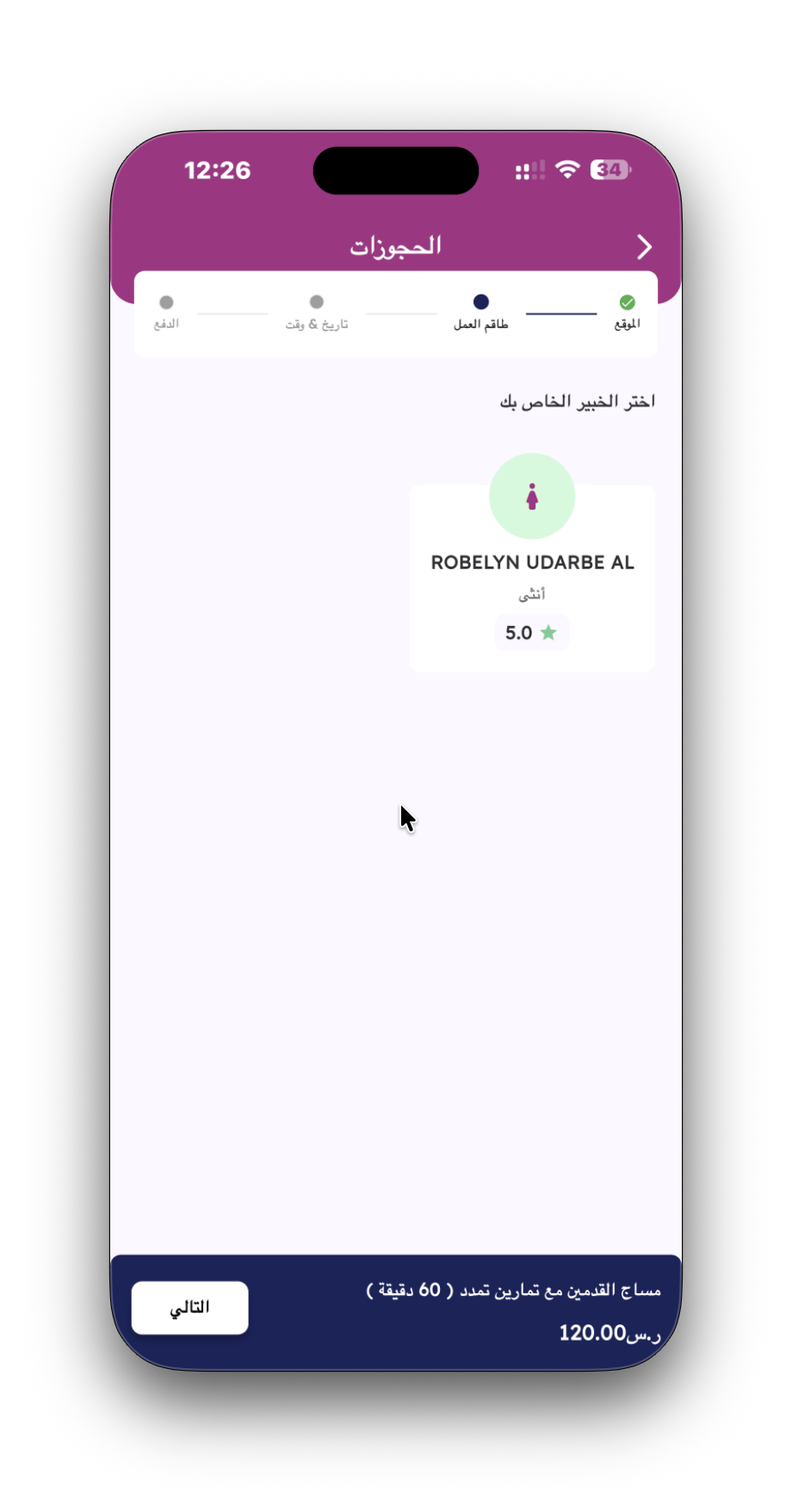
Step 3 provides an interactive scheduling interface where users choose their appointment date via a horizontal calendar picker and select an available time slot categorized into day periods (Afternoon, Evening, Night, Midnight).
Main Features
- Horizontal calendar date picker supporting month navigation and single-tap date selection.
- Categorized time slot chips grouped by diurnal periods (Midnight, Night, Evening, Afternoon).
- Real-time slot availability integration ensuring double-booking prevention.
- Progress stepper showing completed checkmarks for Location and Staff selection steps.
Business Benefits
Automates appointment scheduling, eliminating double-booking errors and reducing manual administration workload for backend dispatch teams.
User Journey
The user arrives at Step 3 after selecting their preferred specialist in Step 2. Choosing an available date and time slot enables the "Next" button to proceed to Step 4: Payment Method Selection.
تتيح هذه الخطوة اختيار تاريخ الحجز عبر تقويم أسبوعي تفاعلي، واستعراض المواعيد المتاحة الموزعة حسب فترات اليوم (بعد الظهيرة، مساءً، ليلاً، منتصف الليل).
المميزات الرئيسية
- شريط تقويم أسبوعي أفقي يتيح اختيار التاريخ بنقرة واحدة.
- مواعيد مجمعة ومصنفة حسب فترات اليوم لتسهيل القراءة والانتخاب.
- ربط برمجي يضمن منع تضارب المواعيد أو الحجز المزدوج.
- مؤشر الخطوات يوضح اكتمال خطوتي الموقع وطاقم العمل بنجاح.
الفوائد الاستثمارية والتشغيلية
تحسين إدارة جداول العمل وتوزيع الأوقات التشغيلية بكفاءة عالية دون الحاجة للتدخل البشري يدويًا.
رحلة المستخدم
تظهر الشاشة بعد اختيار خبيرة التجميل. اختيار اليوم والوقت المناسب يفعل زر "التالي" للانتقال لشاشة خيارات الدفع.
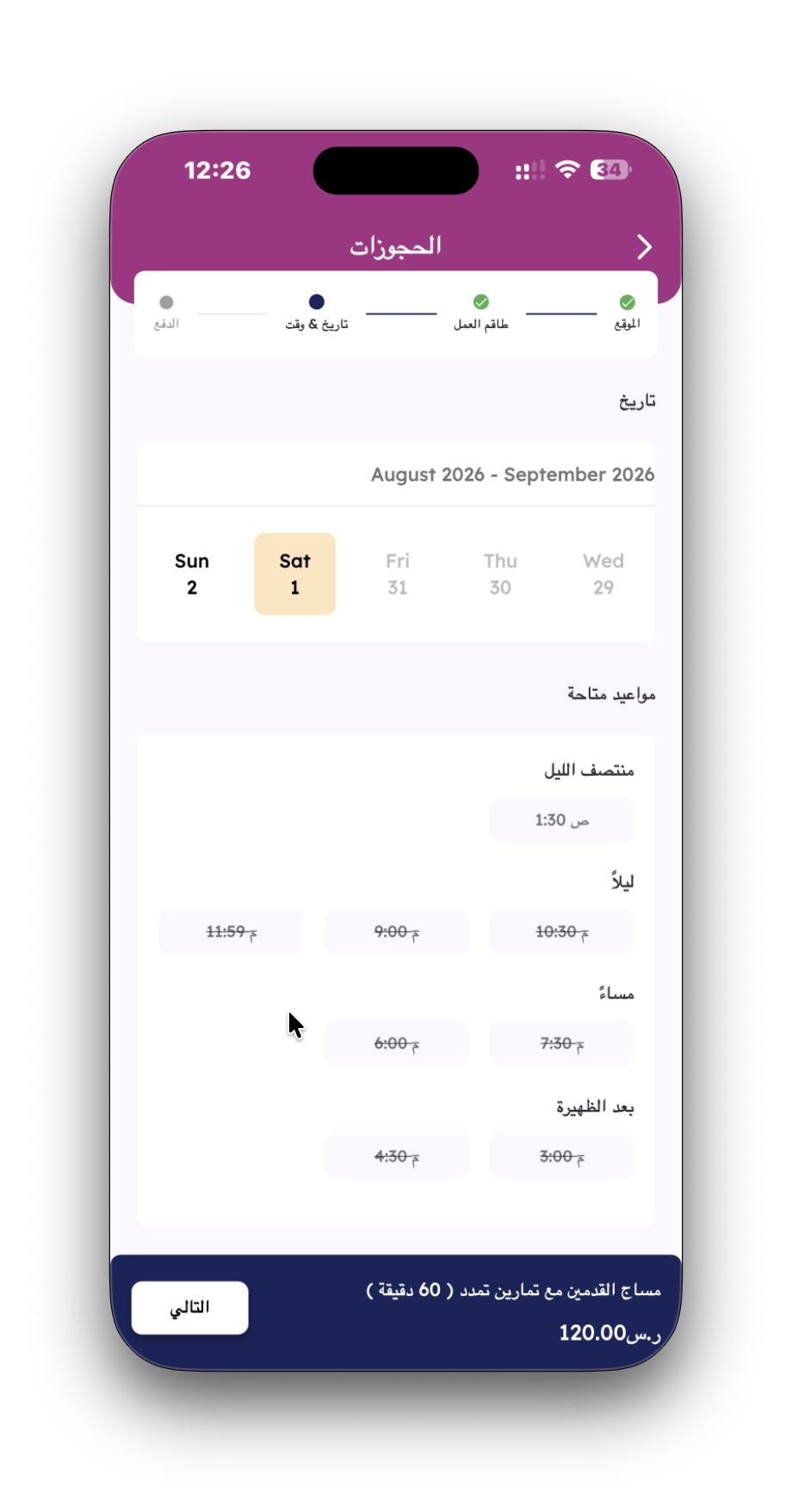
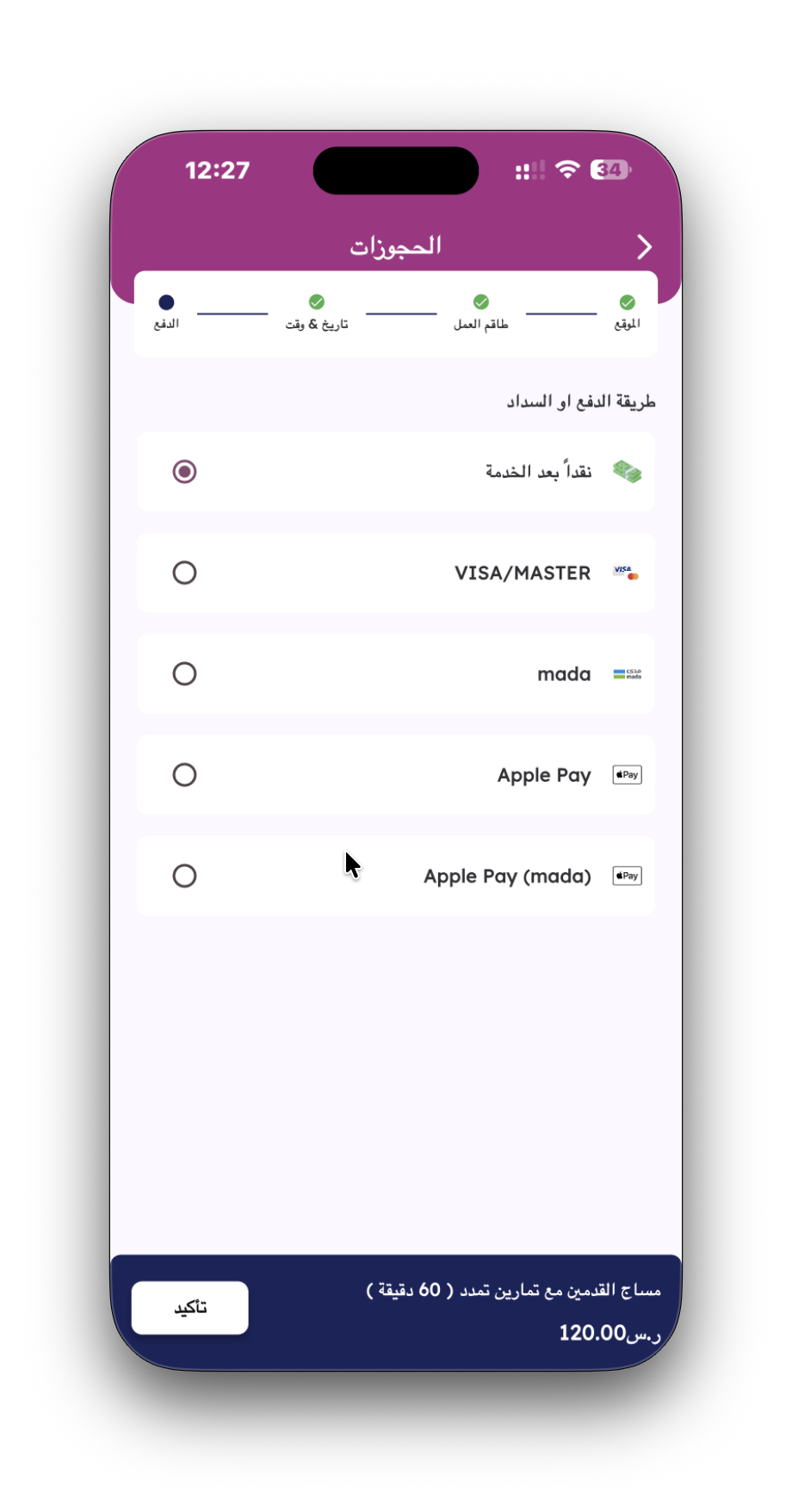
Step 4 presents a complete range of payment methods, allowing customers to choose their preferred transaction option (Cash after service, Visa/MasterCard, Mada, Apple Pay, Apple Pay via Mada) prior to final order placement.
Main Features
- Comprehensive payment selection list supporting regional and global payment options.
- Default selection for "Cash after service", lowering payment friction for initial app users.
- Native support for local debit card networks (such as Mada) and Apple Pay digital wallet transactions.
- Primary "Confirm" button anchored on the persistent bottom pricing summary bar.
Business Benefits
Supporting localized payment systems (Mada, Apple Pay) significantly increases checkout conversion rates in regional markets while cash-on-delivery options remove upfront trial barriers.
User Journey
The user enters Step 4 after specifying their appointment date and time slot. Selecting a payment option and clicking "Confirm" opens the final booking confirmation modal.
تقدم الخطوة الأخيرة خيارات دفع متكاملة تناسب جميع العملاء، وتتيح الدفع النقدي بعد تقديم الخدمة أو بواسطة بطاقات مدى أو الفيزا/ماستركارد أو أبل باي.
المميزات الرئيسية
- قائمة خيارات دفع متنوعة تدعم الوسائل المحلية والعالمية.
- خيار الدفع نقداً بعد الخدمة مجدول كخيار افتراضي لتسهيل المعاملات.
- دعم كامل لشبكات بطاقات الدفع المحلية (مثل مدى) وخدمة Apple Pay للتسديد السريع.
- زر "تأكيد" مثبت في الأسفل لبدء اعتماد الحجز النهائي.
الفوائد الاستثمارية والتشغيلية
دعم وسائط الدفع المحلية يرفع معدلات التحويل وإكمال الطلبات بشكل ملحوظ ويمنح العملاء مرونة مالية تامة.
رحلة المستخدم
يدخل العميل هذه الشاشة بعد تحديد الموعد. اختيار وسيلة الدفع والضغط على زر "تأكيد" ينقل العميل لنافذة إخلاء المسؤولية والتأكيد.
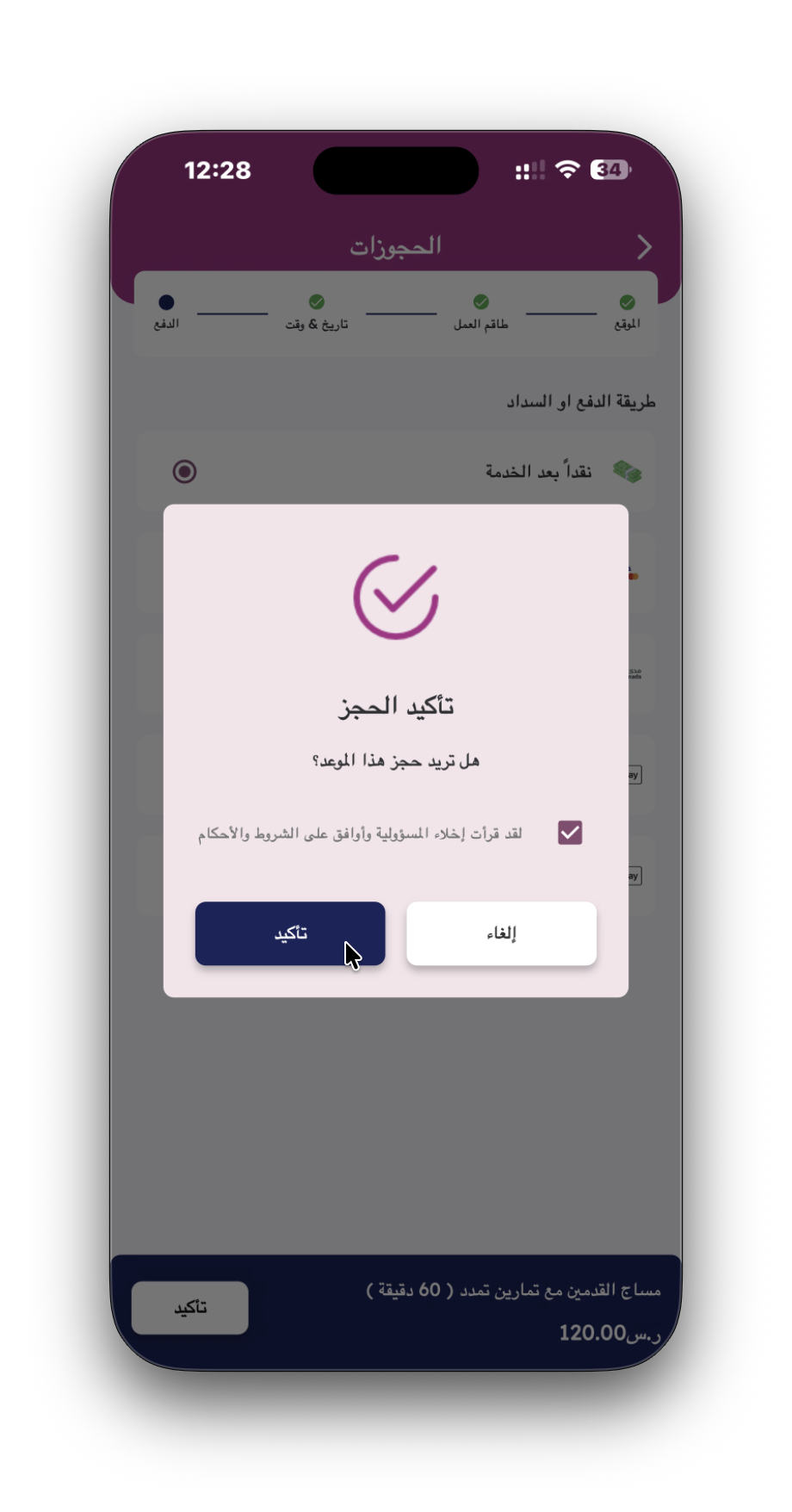
A focused modal overlay prompting the user for final confirmation before sending the appointment request to the backend. It requires explicit agreement to service terms, conditions, and disclaimers.
Main Features
- Modal overlay box dimming the background screen for focused user interaction.
- Visual checkmark icon and explicit confirmation prompt ("Do you want to book this appointment?").
- Mandatory legal consent checkbox ("I have read the disclaimer and agree to the terms and conditions").
- Dual button controls offering a primary "Confirm" button and a secondary "Cancel" button.
Business Benefits
Ensures legal compliance regarding service terms and cancellation policies, while reducing unintentional bookings and unverified dispatch requests.
User Journey
Triggered automatically when the user taps "Confirm" on the Payment Selection screen. Tapping "Confirm" inside the modal submits the booking and opens the success celebration screen.
نافذة منبثقة تفاعلية تعلو الشاشة السابقة لتأكيد رغبة العميل في إتمام الحجز نهائياً وتوثيق موافقته على الشروط والأحكام وإخلاء المسؤولية.
المميزات الرئيسية
- تظليل خلفي للشاشة لتركيز انتباه العميل على قرار التأكيد.
- أيقونة توثيق وسؤال مباشر: (هل تريد حجز هذا الموعد؟).
- مربع إقرار قانوني: (لقد قرأت إخلاء المسؤولية وأوافق على الشروط والأحكام).
- زران واضحان للاستجابة: زر (تأكيد) أزرق وزر (إلغاء) أبيض.
الفوائد الاستثمارية والتشغيلية
تحمي المنشأة قانونياً عبر توثيق موافقة العميل على شروط الخدمة وتمنع الطلبات غير المقصودة أو الخاطئة.
رحلة المستخدم
تظهر النافذة فور الضغط على تأكيد الدفع. تحديد مربع الموافقة والضغط على زر "تأكيد" ينهي عملية الحجز بنجاح.
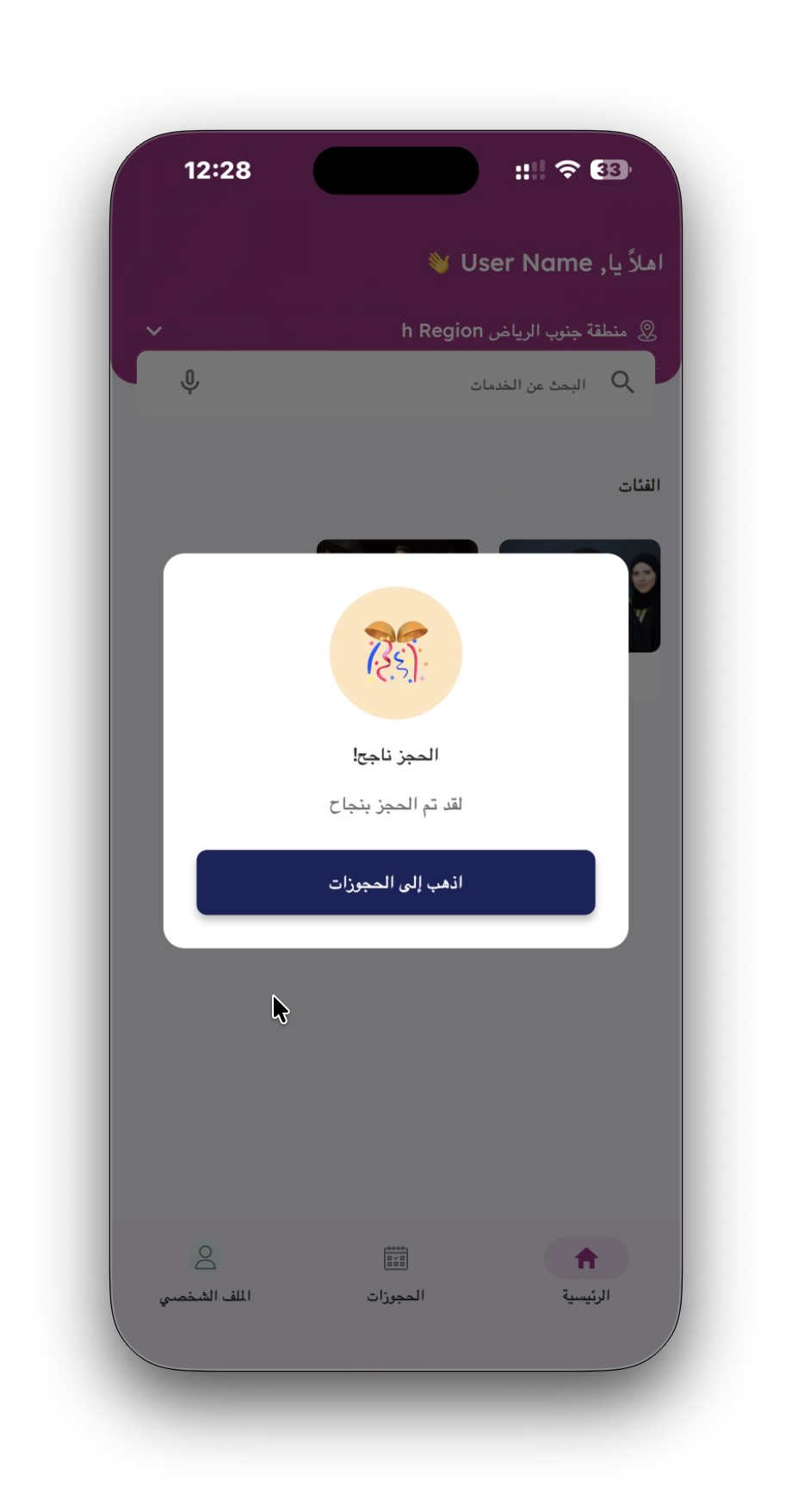
A post-checkout confirmation screen providing immediate positive reinforcement upon successful reservation creation. It features celebration graphics and a direct call-to-action to review active bookings.
Main Features
- Celebration artwork graphic (party popper design) providing visual feedback for successful completion.
- Clear status headline ("Booking Successful!") with confirmation body text.
- Direct call-to-action button ("Go to Bookings") linking directly to the user's booking history.
Business Benefits
Reassures the customer that their booking was processed successfully, preventing duplicate submissions and directing user traffic toward appointment tracking features.
User Journey
Appears immediately after the user confirms the booking inside the disclaimer modal. Tapping "Go to Bookings" redirects the customer directly to their active bookings tab.
شاشة تأكيد واحتفال تظهر فور إتمام عملية الحجز بنجاح، تمنح العميل طمأنينة فورية بوصول طلبه وتوفر زراً مباشراً لمتابعة حالة الحجز.
المميزات الرئيسية
- رسم تعبيري احتفالي يمنح انطباعاً إيجابياً بإتمام العملية.
- عنوان واضح: (الحجز ناجح!) وتأكيد نصي: (لقد تم الحجز بنجاح).
- زر إجراء مباشر: (اذهب إلى الحجوزات) ينقل العميل لسجل مواعيده.
الفوائد الاستثمارية والتشغيلية
تمنع إعادة الحجز بالخطأ وتزيد من رضا العميل وتوجهه لمتابعة موعده المجدول بكل سهولة.
رحلة المستخدم
تظهر النافذة فور اعتماد الحجز. الضغط على زر "اذهب إلى الحجوزات" ينقل العميل مباشرة لشاشة الحجوزات النشطة.
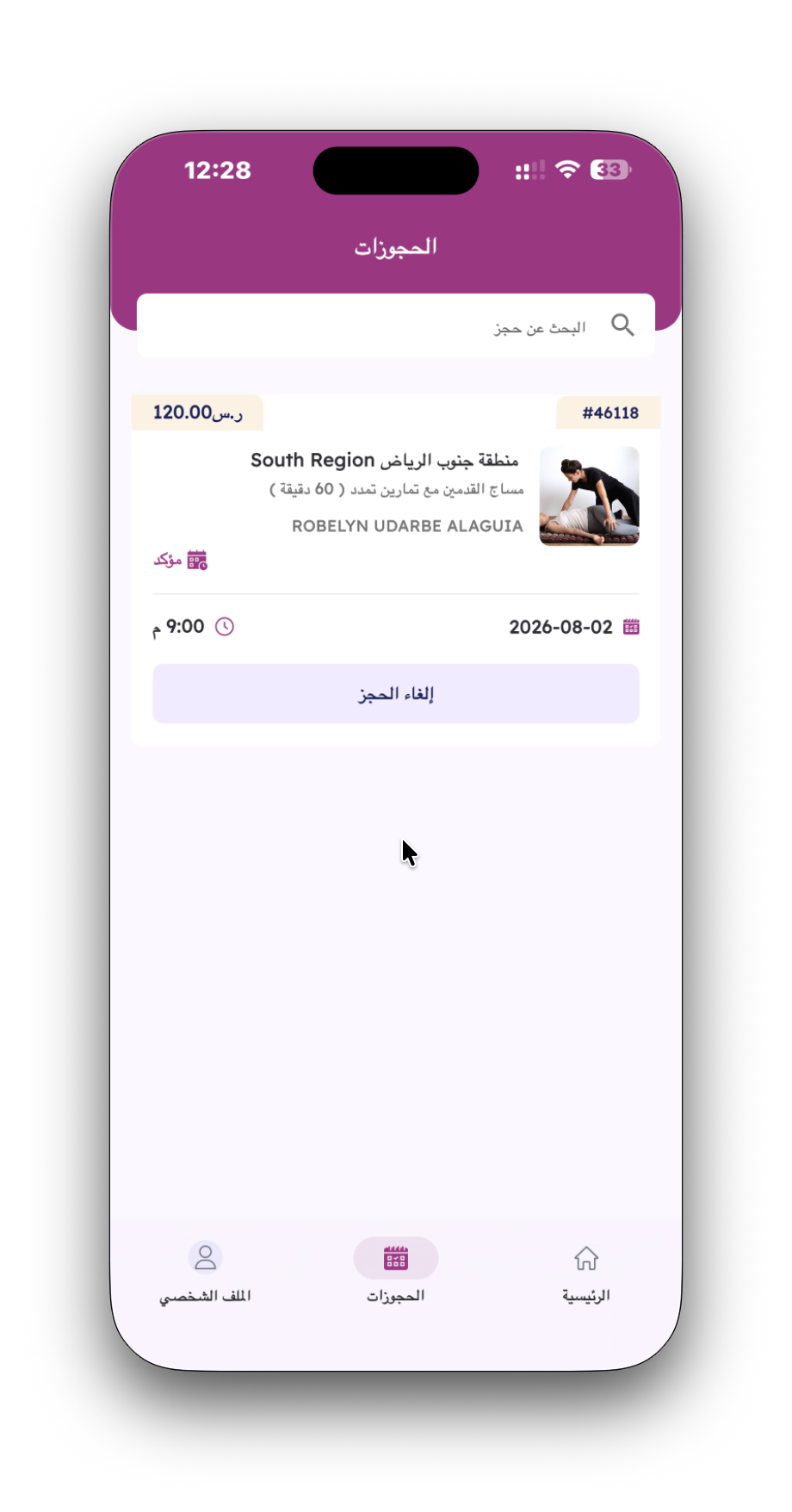
The Active Bookings screen acts as a central hub where customers can view, search, and manage their upcoming service appointments, inspect booking reference codes, review assigned specialists, and initiate cancellations if required.
Main Features
- Detailed booking summary card displaying reference ID (#46118), price (120.00), location region, service details, and assigned specialist name.
- Visual booking status badge displaying appointment state ("Confirmed 📅").
- Scheduled appointment date and time breakdown (e.g., 2026-08-02 at 9:00 PM).
- Self-service "Cancel Booking" action button for appointment adjustments.
- Top search bar ("Search for a booking") to filter active or past reservations.
Business Benefits
Empowers clients with self-service schedule tracking, reducing call center inquiries and enabling quick re-allocation of canceled slots to other prospective customers.
User Journey
Reached via the bottom navigation bar ("Bookings" tab) or immediately from the booking success modal. Users can track their upcoming appointment status or request a cancellation if necessary.
تعد شاشة الحجوزات المركز الرئيسي لمتابعة وإدارة الطلبات، حيث تتيح للعميل الاطلاع على تفاصيل موعده، معرفة اسم الأخصائية والموقع، والتحكم بالحجز وإلغائه عند الحاجة.
المميزات الرئيسية
- بطاقة تفاصيل شاملة تعرض رقم الحجز (#46118)، السعر الإجمالي، اسم الفرع، أخصائية التجميل، والخدمة المطلوبة.
- شارة حالة الطلب المحدثة (مؤكد 📅).
- عرض دقيق لتاريخ ووقت الموعد (٢٠٢٦-٠٨-٠٢ الساعة ٩:٠٠ مساءً).
- زر مخصص لإلغاء الحجز بشكل إلكتروني دون الحاجة للاتصال.
- شريط بحث علوي لتصفية البحث بين الحجوزات.
الفوائد الاستثمارية والتشغيلية
تقليل الضغط على خدمة العملاء عبر توفير الخدمة الذاتية، وتحديث المواعيد المتاحة فور حدوث أي إلغاء لإعادة إتاحتها لعملاء آخرين.
رحلة المستخدم
يصل إليها العميل عبر تبويب "الحجوزات" من الشريط السفلي أو بعد إتمام الحجز، حيث يمكنه متابعة حالة زيارة الخبيرة للمنزل.